
Which battery does my laser pointer need? Charging and care made simple
Which battery does your laser pointer take, and how do you charge, store and travel with it safely? A plain-English guide to AAA, 18650 and 16340 cells.
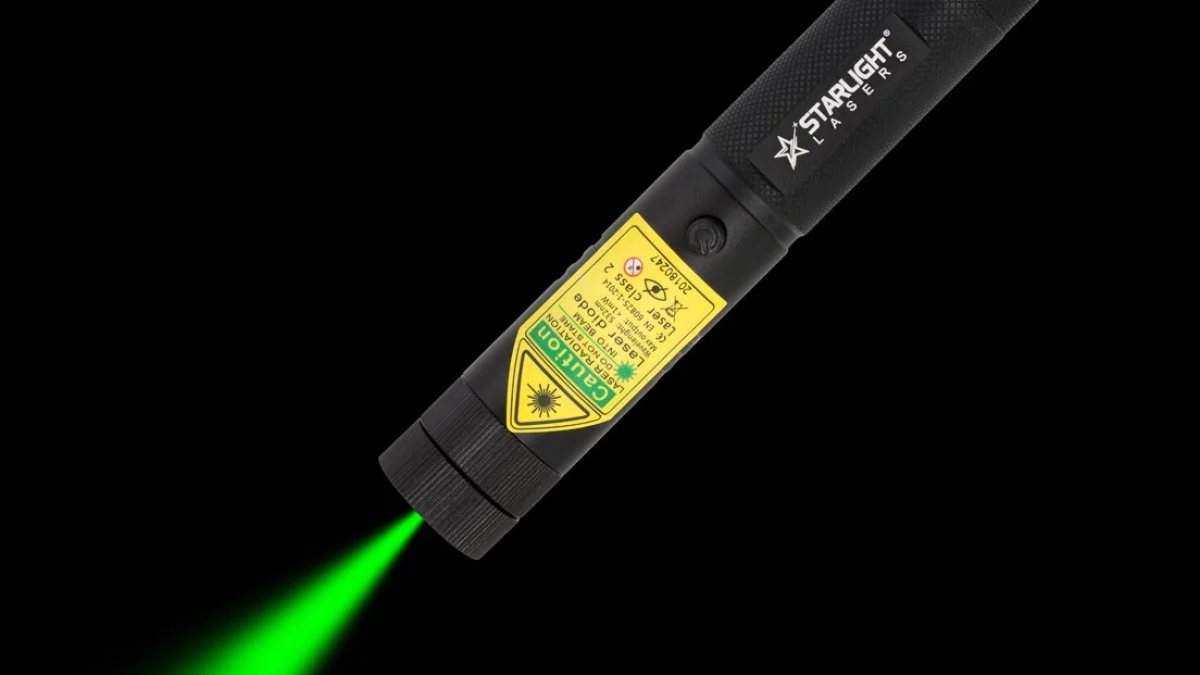
A laser pointer is only as reliable as its battery. Whether you are mid-presentation or mid-way through your cat's evening chase, a fading dot is no fun. In this guide we explain the three battery types used in our laser pointers – AAA, 18650 and 16340 – which model uses which, and how to look after them.
The quick answer: which battery does my laser need?
| Battery | Type | Used in |
|---|---|---|
| 2x AAA | Standard disposable (or rechargeable AAA) | X1, X2, M1, Z1 |
| 18650 | Rechargeable Li-ion | G1 Pro, G3 Pro, R1 Pro, V1 Pro |
| 16340 | Rechargeable Li-ion | G2 Pro, R2 Pro, V2 Pro |
Every laser comes with its battery included: 2 powerful AAA batteries with the pen models, and 1 Li-ion battery plus a PowerFox charger with the Pro models.
What do the numbers mean?
Battery names like 18650 and 16340 simply describe the size of the cell. The first two digits are the diameter in millimetres, the next two the length, and the last digit indicates the cylindrical shape. So an 18650 is about 18 mm wide and 65 mm long, and a 16340 is about 16 mm wide and 34 mm long. It is why the full-size Pro lasers are longer than the compact ones.
AAA: simple and everywhere
AAA batteries are the easiest option. You can buy them in any supermarket, petrol station or corner shop in the UK, and there is nothing to charge. That makes our AAA pen lasers ideal for occasional users and as gifts.
- Pros: no charger needed, available everywhere, easy to keep a spare pair in your bag.
- Cons: you keep buying them, and disposables create more waste.
Tips: replace both batteries at the same time, do not mix old and new or different brands, and remove them if the laser will be stored for months, to avoid leaks.
18650: the full-size rechargeable
The 18650 is a large, rechargeable lithium-ion cell. It powers our full-size Pro lasers and gives them their sturdy feel. If you use your laser every day – for teaching, training or play – a rechargeable 18650 saves you buying batteries again and again.
- Pros: rechargeable many times, longer between charges than the small 16340, one cell type for all full-size Pro lasers.
- Cons: needs a charger and a little care; makes the laser larger than a pen.
Spares: PowerFox 18650 batteries (2-pack, 6800 mAh).
16340: small and pocketable
The 16340 is a compact lithium-ion cell. It allows our compact Pro lasers to be just 11.2 to 12 cm long – easy to carry in a pocket or pencil case. The trade-off is that a smaller cell needs charging more often than an 18650.
- Pros: rechargeable, allows a compact laser.
- Cons: more frequent charging; a spare is handy for heavy users.
Spares: PowerFox 16340 batteries (2-pack, 1800 mAh).
Important: 18650 and 16340 cells are not interchangeable. They are physically different sizes, so always buy the size your laser takes.
How to charge Li-ion batteries safely
Lithium-ion batteries are safe and reliable when treated with care. Follow these simple rules:
- Use a suitable charger – the PowerFox charger supplied with your laser, which takes 18650 and 16340 cells, one at a time.
- Charge on a hard, non-flammable surface – not on a bed, sofa, carpet or under a pillow.
- Stay nearby while charging and do not leave cells charging overnight unattended.
- Remove the cell when it is full.
- Check polarity: + and – the right way round.
- Do not charge or use a damaged battery – a torn wrapper, dent or swelling means it is time to recycle it.
Storing and carrying batteries
Store spare cells in a cool, dry place, ideally in a plastic battery case. Never carry loose Li-ion cells in a pocket with keys or coins: a short circuit can make them hot. If you are not going to use your Pro laser for a while, store it with the battery partly charged rather than completely flat.
Flying? Airlines generally require spare lithium batteries to travel in hand luggage, not in the hold. Check your airline's rules before you travel.
How do I know the battery is getting low?
The first sign is usually a dimmer dot or one that flickers. With AAA pens, replace both batteries. With a Pro laser, swap in a charged cell or recharge. If a freshly charged cell still gives a weak dot, check that it is inserted the right way round and that the contacts are clean.
Can I use rechargeable AAA batteries in the pen lasers?
The pen lasers come with two powerful AAA batteries. If you would like to use rechargeable AAA cells, email us first with your model and we will advise.
Cold weather
Lithium-ion cells deliver less in the cold. If you take your laser stargazing or on a winter walk, keep it in an inside pocket between uses and bring a charged spare.
Recycling
When a rechargeable cell no longer holds its charge the way it used to, or the wrapper is damaged, it is time to retire it. Never put batteries in household rubbish – they can cause fires in bin lorries and recycling centres. Most UK supermarkets and many shops that sell batteries have a collection point.
Need help?
Not sure which battery you need? Check the product page of your laser, browse laser pen batteries, or email support@starlightlasers.eu and tell us which model you have. And if you are still choosing a laser, read our beginner's guide to laser pointers
More articles
Blog
Laser pointer syndrome: what it is and how to prevent it in cats and dogs
Some pets become fixated on lights and shadows after lots of laser play. What laser pointer syndrome is, the s…
Are laser pointers bad for cats? How to play safely
Laser play can be great exercise for cats – or a source of frustration. What the risks really are, and a simpl…
Laser pointers and dogs: should your dog chase the dot?
Many dogs go wild for a laser dot – but for some, it becomes an obsession. When a laser pen for dogs is fine,…