
How to use a laser pointer in a presentation (without distracting your audience)
A laser pen can make your slides easier to follow – or turn them into a light show. Practical tips for pointing, holding steady, choosing a colour and staying safe.
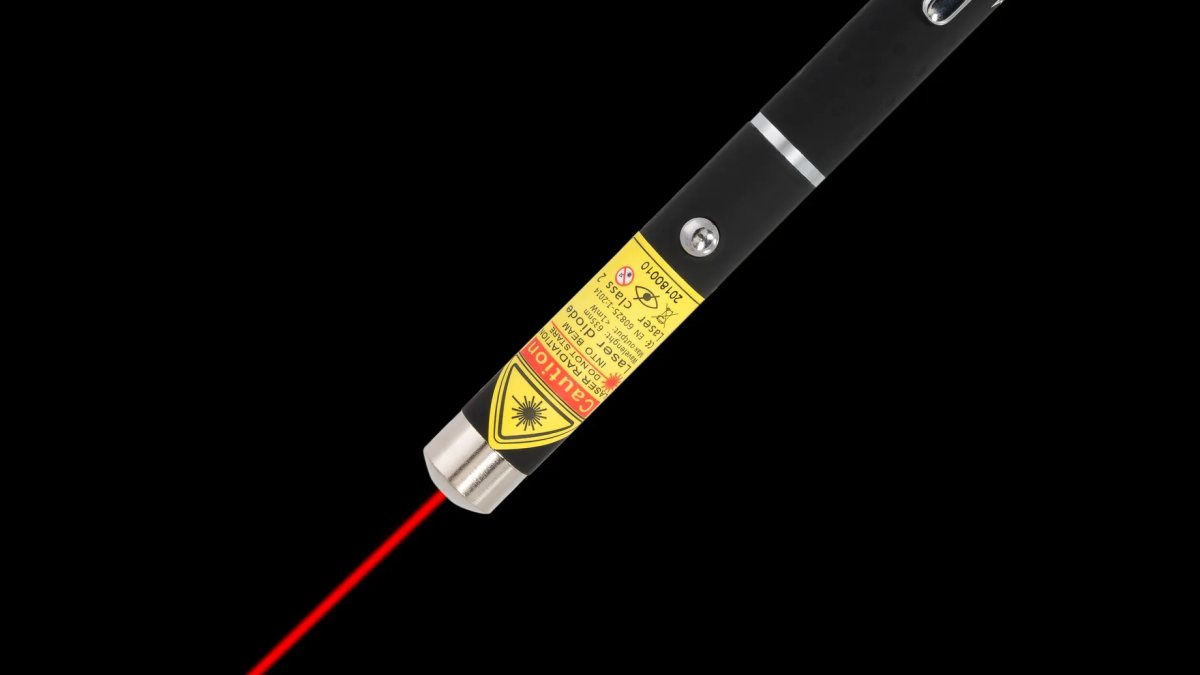
A laser pointer is one of the simplest presentation tools there is: press a button, a dot appears, people look where you point. And yet we have all sat through a talk where the dot whizzed around the slide like a firefly, circling everything and highlighting nothing. Used well, a laser pen helps your audience follow you. Used badly, it pulls their attention away from what you are saying.
Here is how to use a laser pointer in a presentation like someone who does it every day.
First: do you need a laser pointer at all?
A laser pointer earns its place when your slides contain detail – a chart with several lines, a diagram, a map, a photo, a block of code or a spreadsheet. It is also valuable in large rooms, where you cannot walk up to the screen and point with your hand. If your slides are a single word or image each, you may not need one. But for teachers, lecturers, engineers, scientists and anyone presenting data, a pointer quickly becomes indispensable.
10 tips for using a laser pen well
1. Point, pause, then talk
Put the dot on the item first. Give your audience a second to find it. Then explain. This simple rhythm prevents the most common problem: people still hunting for the dot while you have already moved on.
2. Hold it steady
Nerves and caffeine both show up as a wobbly dot. Tuck your elbow against your side, or steady the pointing hand with the other one. Point from your body, not from an outstretched arm.
3. Underline, don't circle
Endless circling is distracting and tiring to watch. A short, slow underline beneath a line of text, or a steady dot on a data point, is far easier to follow.
4. Switch off between points
Release the button as soon as you have made your point. A dot left resting on the slide – or drifting around while you talk – pulls attention in the wrong direction.
5. Do not turn your back
The whole point of a laser pointer is that you can keep facing the room. Glance at the screen to place the dot, then turn back to your audience as you explain.
6. Never sweep across the audience
Turning towards the room with your finger still on the button is an easy mistake. Make it a habit to release the button before you turn. Never aim at people's faces or eyes, and watch out for reflective surfaces such as glass walls and whiteboards with a strong shine.
7. Use the slide, not just the pointer
If you always need to point at the same detail, consider highlighting it on the slide itself – a coloured box, an arrow or a zoomed-in crop. Then use the laser for the things you want to discuss spontaneously.
8. Check the screen before you start
A laser dot is easiest to see on a projection screen or whiteboard. On large LED and LCD screens the dot can be harder to spot, depending on the surface. Try it in the room before the audience arrives.
9. Check the batteries
Few things are as awkward as a dead pointer in the middle of a talk. Check it the day before and keep spare batteries in your bag – or charge your rechargeable laser overnight.
10. Put it away afterwards
A laser pointer is a tool, not a toy. Do not leave it lying on the lectern where pupils or children can pick it up.
Red or green: which colour is best for presentations?
Red is the traditional presentation colour. It is calm and familiar, and on a projection screen in a normally lit room it is perfectly clear. Our M1 red laser pen is a favourite with speakers.
Green looks much brighter to the human eye at the same output. In bright rooms, large halls or with a weak projector, a green dot is easier to see. The X1 green laser pen has a clip, so it lives in your jacket pocket between talks.
Violet looks softer and is less suited to bright screens, so we do not recommend it as your main presentation laser.
Laser pen or presenter with slide buttons?
Our lasers are pointers only – they do not change slides. Some people prefer a combined wireless presenter; others like to keep a simple, reliable laser pen in one hand and use the laptop or a separate clicker for slides. A dedicated laser pen has one big advantage: it is always ready, with no pairing, receivers or drivers.
Is a laser pointer safe in a classroom or meeting room?
All our lasers are class 2 with an output up to 1 mW – the class intended for sale to the public in the UK. Class 2 means the eye's natural blink reflex gives protection against a brief accidental glance. That is a safety margin, not permission: never aim at anyone's eyes, and keep the laser away from children. In shared classrooms, a laser with safety keys such as the R1 Pro means nobody can switch it on without the key. Read the laser pointer safety page for more.
Pen or rechargeable?
If you present now and then, a pen on AAA batteries (M1, X1) is the most practical. If you teach daily, a rechargeable Pro such as the compact R2 Pro saves on batteries over time. See all options on our page about laser pointers for presentations.
Quick checklist
- Batteries checked or laser charged
- Dot tested on the screen in the room
- Point – pause – talk
- Release the button before turning to the audience
- Laser put away after the talk
Good luck with your next presentation!
More articles
BlogLaser pointer syndrome: what it is and how to prevent it in cats and dogs
Some pets become fixated on lights and shadows after lots of laser play. What laser pointer syndrome is, the s…
Are laser pointers bad for cats? How to play safely
Laser play can be great exercise for cats – or a source of frustration. What the risks really are, and a simpl…
Laser pointers and dogs: should your dog chase the dot?
Many dogs go wild for a laser dot – but for some, it becomes an obsession. When a laser pen for dogs is fine,…